

Outputs
One run produces a folder like this:
clearer-error-messages-on-sign-up/
├── clearer-error-messages-on-sign-up.mp4
├── clearer-error-messages-on-sign-up-poster.png
├── clearer-error-messages-on-sign-up-preview.gif
├── images/01-summary.png  02-before-after.png  …
├── diagrams/sign-up-flow.svg  sign-up-flow.png
├── message.md
└── _source/
Video
- 30 to 60 seconds, 90 at most, in four to seven scenes
- 1920×1080 by default, 30 fps, H.264, ready to stream (
faststart) - captions burned in: short lines that stay on screen long enough to read
- re-encoded smaller when it would go over 25 MB, so it fits in an email
- a poster image and a GIF preview for chat apps
Formats. Set meta.aspect in the storyboard to "4:5" (1080×1350) or "9:16" (1080×1920) for feeds and stories. The scenes switch to a stacked portrait layout on their own.
Audio. The video is silent unless the storyboard has meta.audio. Add a music file and short sound cues, either at fixed times or per scene with sfx, and the render mixes them to a steady -14 LUFS with the music ducked under the cues.
Your own scene templates. Point meta.sceneDir at a folder of HTML templates and any scene type that isn't built in is rendered from <type>.html in that folder, with its CSS files loaded after the style. Placeholders such as , and are filled from the scene, and a placeholder with no value shows up as a warning instead of vanishing.
Screen recordings. A scene.data key ending in Video places a muted clip in the scene. It plays in step with the video frame by frame and holds its last frame if the scene runs longer. A missing file is reported, not skipped silently.
Slides
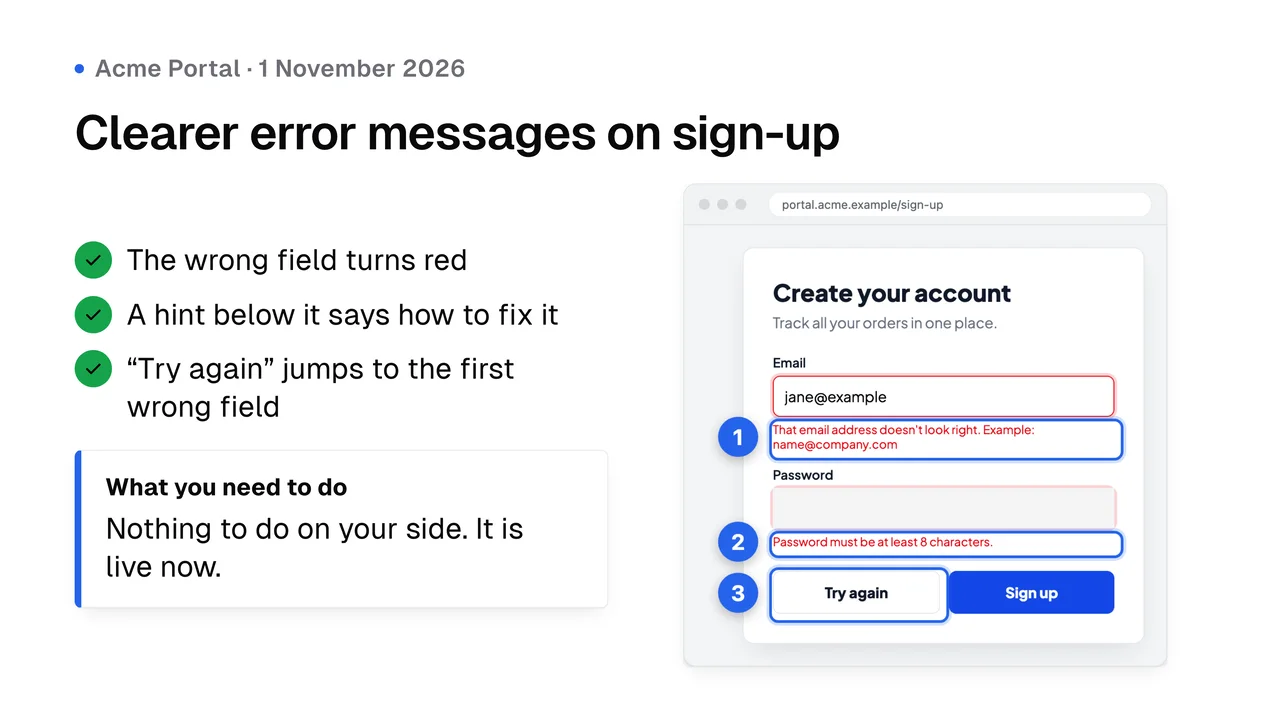
Three to five PNGs at 3840×2160 (sizes at 2x). Slides and diagrams follow meta.aspect. The first one, 01-summary.png, works on its own: title, three points, a screenshot or a before and after, and what the client needs to do.
Diagrams
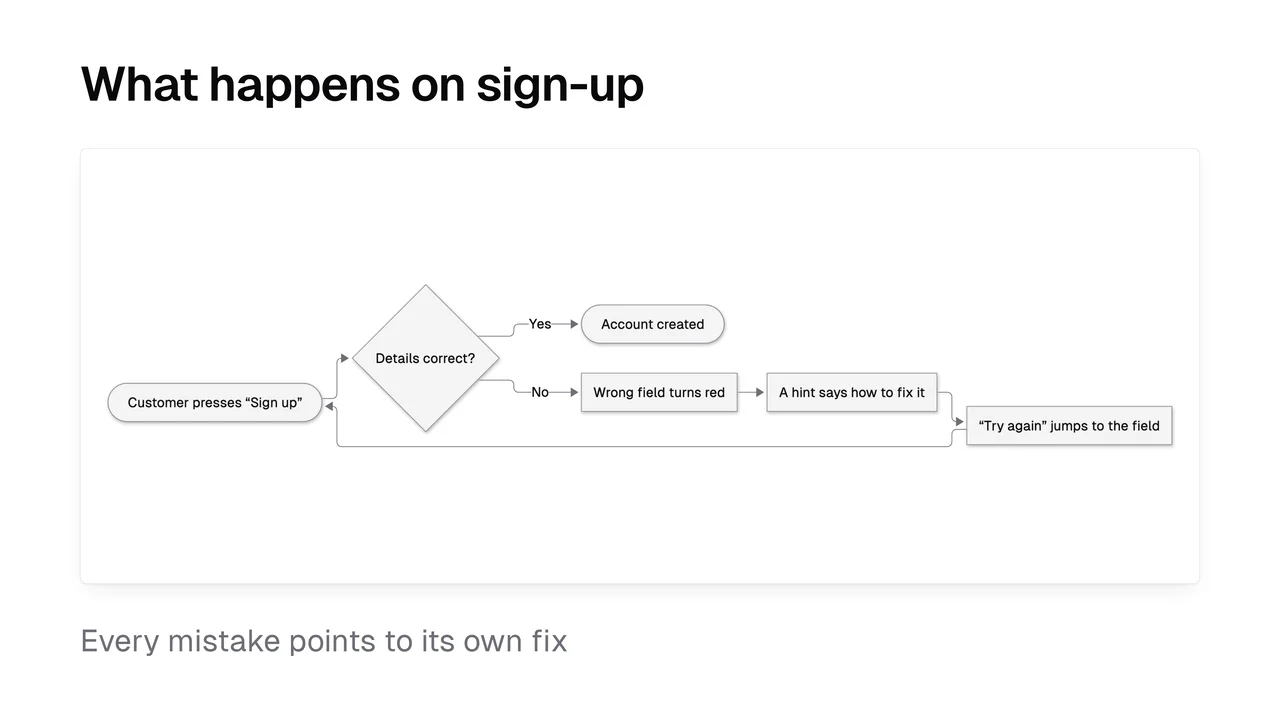
One to three Mermaid diagrams: a flowchart of the user's path, a sequence of what happens behind the scenes, a status lifecycle, a before and after journey or a rollout timeline. Labels are in the client's language with no code names. You get an SVG with the fonts embedded, a PNG, and the .mmd source to edit later.
Message
A short message in the client's language: a subject line, two to four sentences, what's new, what they need to do (often nothing) and the list of attachments. [Customer name] and [Your name] stay as placeholders for you to fill in.